
Log in to the Kiravo control panel and select your website. Navigate to Advanced Developer Tools and locate the NGINX section. Add wp-admin to the exclusion list. Select Enable FastCGI Cache. Use the Purge button to clear the cache when you update content.
Fast loading speeds improve user experience and search engine rankings. The NGINX FastCGI cache stores dynamic content as static files, reducing server load and speeding up your WordPress site.
Step-by-step guide to enable NGINX FastCGI Cache (video + text)
If you prefer written instructions, follow this detailed guide.
Proper cache configuration ensures your site remains fast while functions like the dashboard and checkout remain dynamic. Follow these steps to set up the cache in your Kiravo hosting panel.
1. Access Advanced Developer Tools
Log in to the Kiravo control panel, then click your website.
Navigate to the Advanced -> Developer Tools section in the menu.
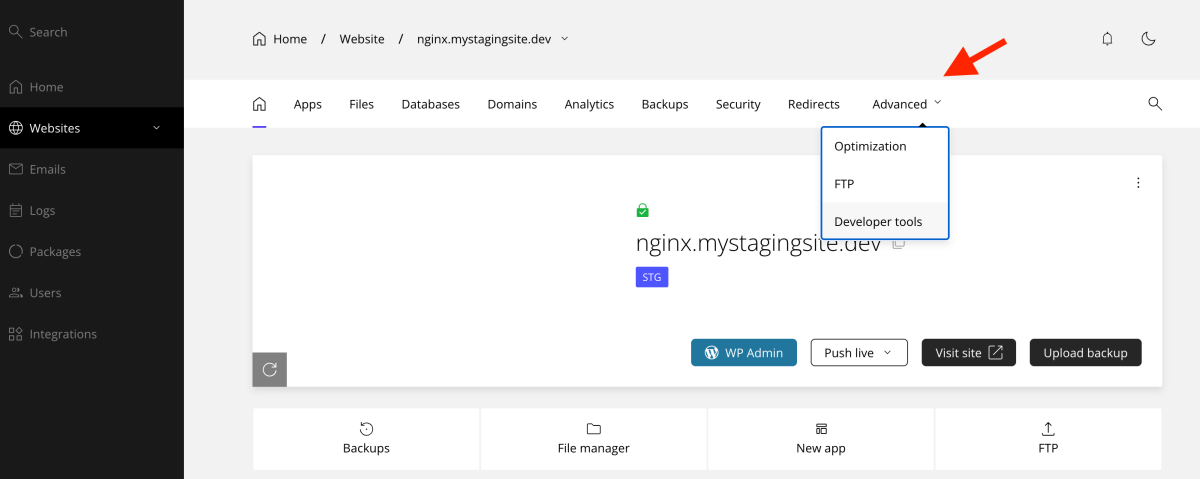
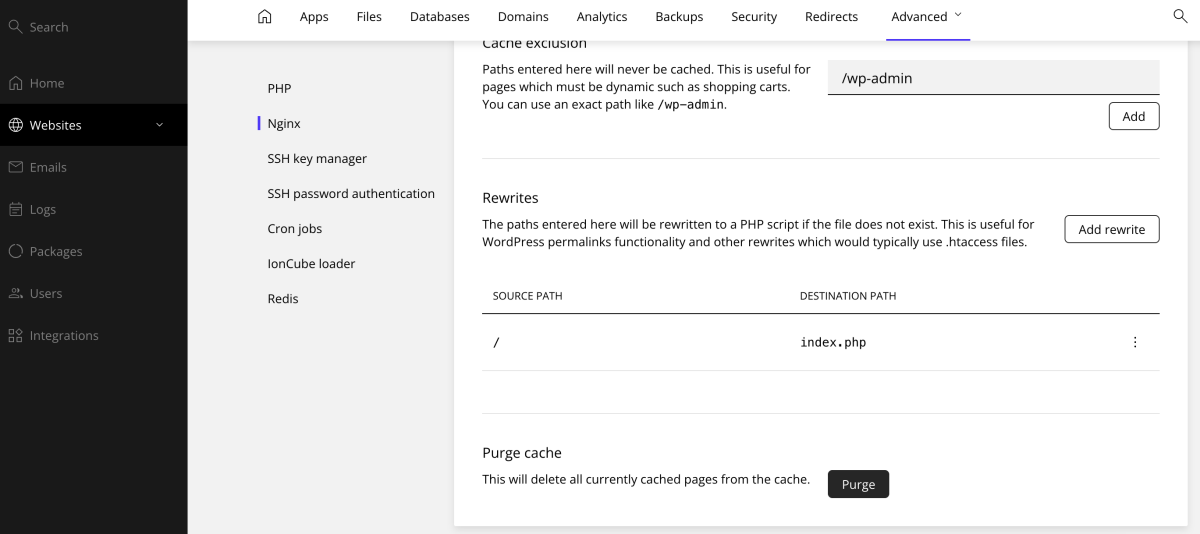
Scroll down until you find the NGINX settings area. This is where you manage the FastCGI cache.
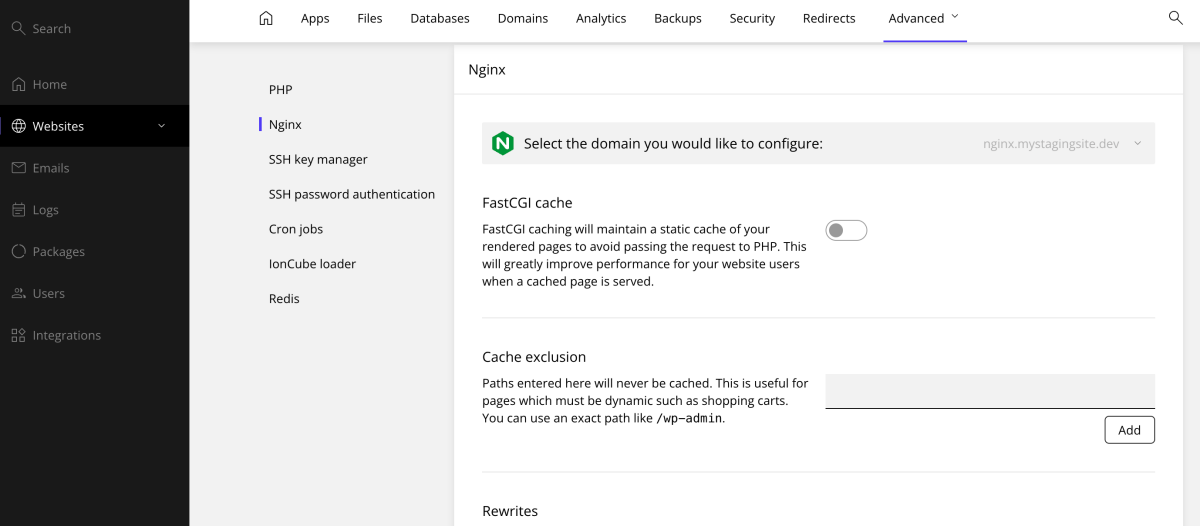
2. Configure Cache exclusions
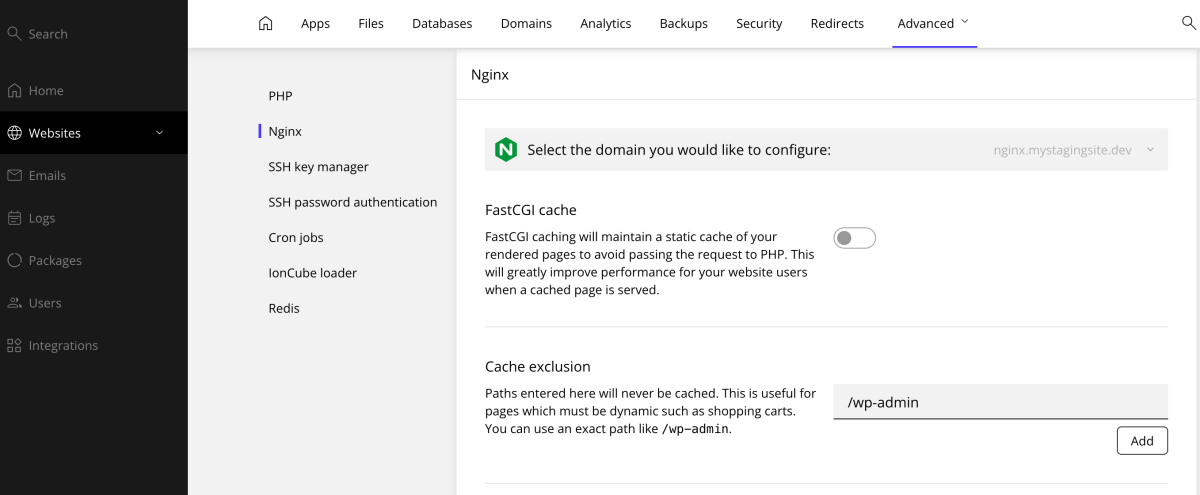
Exclusions prevent specific pages from being cached. This is necessary for pages with private or changing data.
- WP Admin: Add
/wp-admin/to the exclusion list. This is mandatory for your dashboard to function correctly. - E-commerce Pages: Add pages like the shopping cart or account pages if you run an online store. Click Add after entering each URL to save the exclusion.
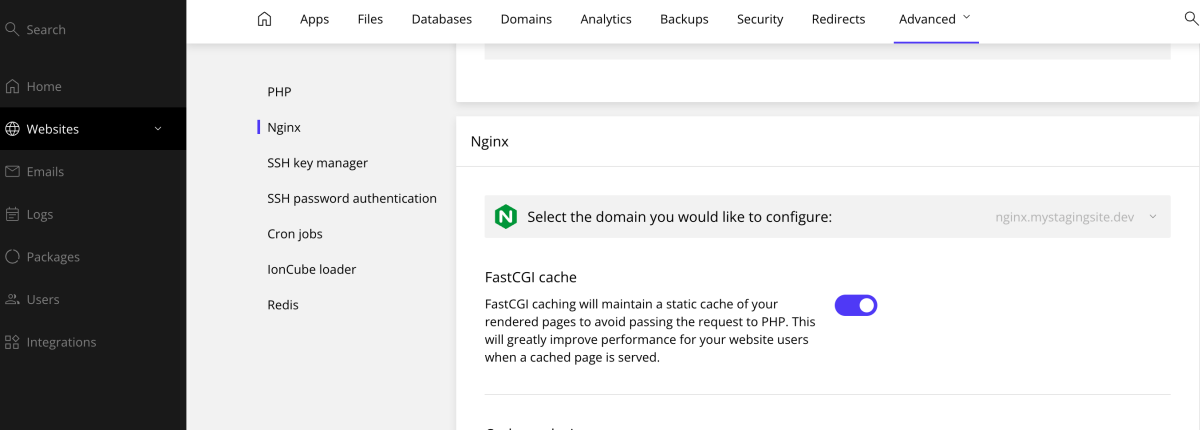
3. Enable the cache
Select the option to Enable FastCGI Cache. The system applies the settings immediately. Your website now serves cached content to visitors, reducing processing time per request.
4. Clear and purge data
When you make significant changes to your site, you need to clear the old files. Scroll to the bottom of the NGINX section to find the Purge button. Click this button to clear the entire cache and show your latest updates to visitors.
Efficient caching ensures your website performs well for every visitor. This setup provides a balance between speed and functionality.
Should you have any questions or require assistance, our support team is available to guide you.
