
Once you are logged in to the control panel, navigate to the Domains section of the desired site. There, you enter the new domain name. You can check or uncheck the redirection option, depending on your goal. The operation is finalized immediately.
The alias domain function provides you with essential flexibility. You can use it to direct a secondary domain to your main site or to configure different language versions for a multilingual setup.
Tutorial for adding an alias domain in the WordPress hosting Control Panel
Here are the necessary steps to add alias domains in your WordPress hosting panel.
1. Access the control panel and the Domains section
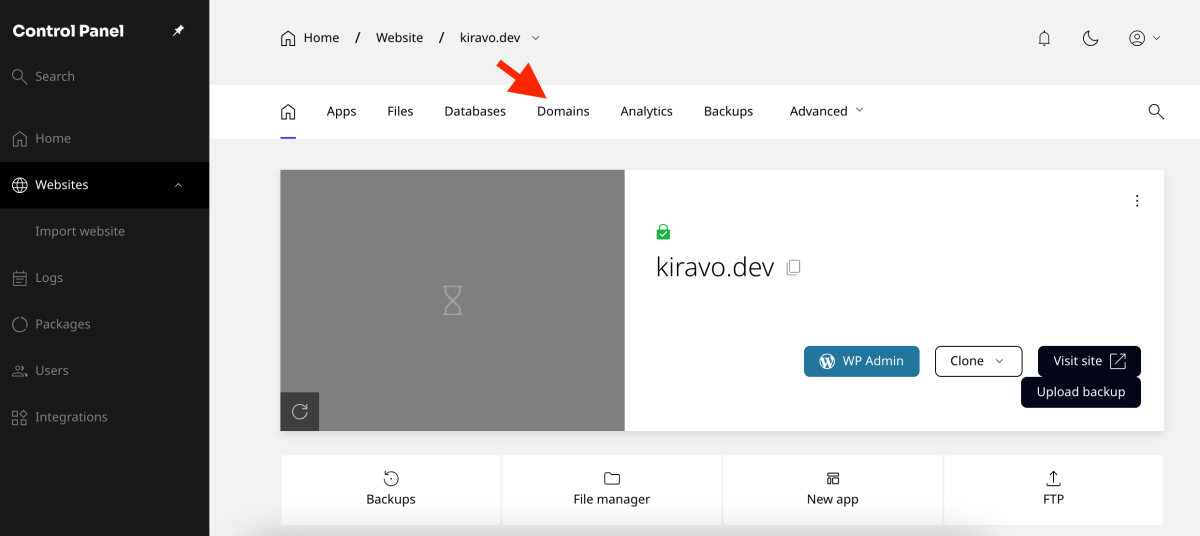
Once logged in to the Kiravo WordPress hosting control panel, click on the desired website from the main list. Then, navigate to the Domains section.
2. Add a simple alias domain (redirection)
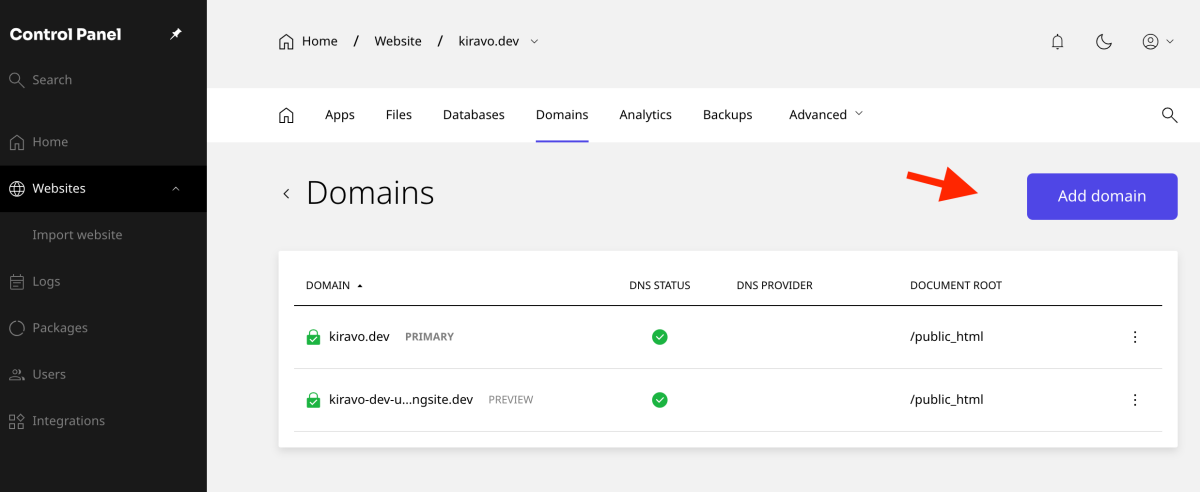
In the Domains section, click the Add domain button.
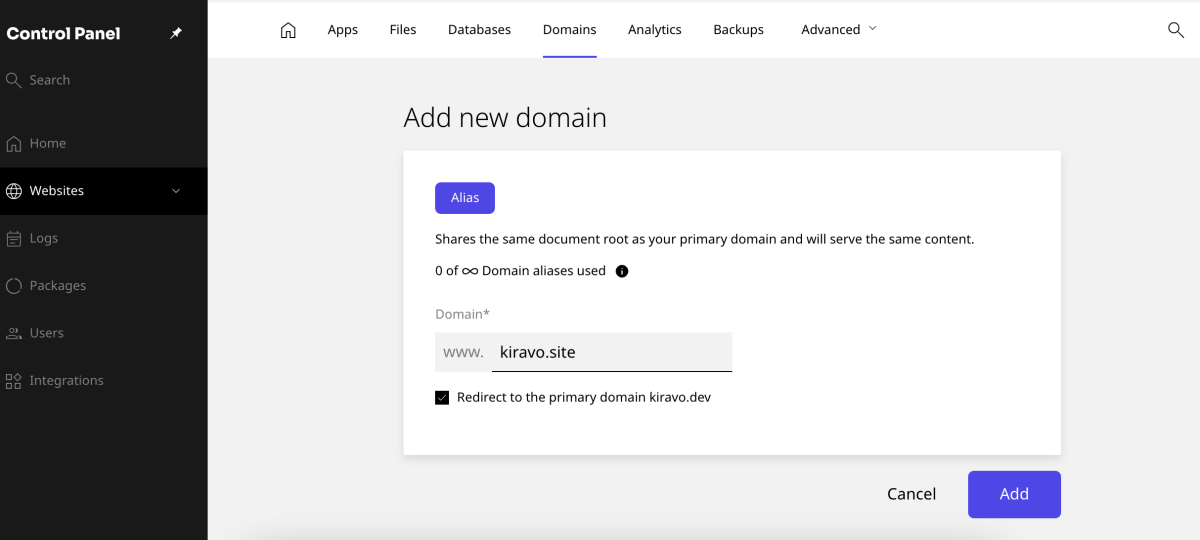
Enter the name of the new alias domain. You can check the option Redirect to the primary domain if you want the new domain to automatically redirect to your site’s main domain.
Click the Add button to finalize the addition. This is useful for ensuring visitors reach your site, even if they type an alternative address.
3. Configure alias domains for multilingual websites
If you plan to install a multilingual plugin, you can use alias domains to host different language versions of your site.
For example, you might use a .de domain for the German language version.
Click Add domain again, and enter the new domain name, for example, yourdomain.de. It is important that you do not check the redirection option in this case.
Click the Add button.
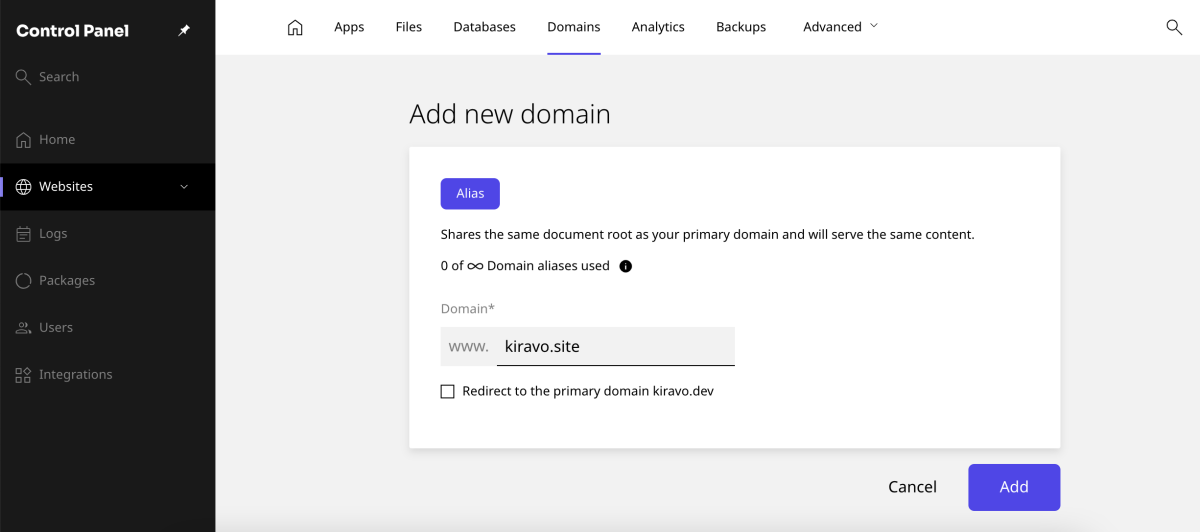
You can add as many alias domains as you need. After adding the domains, you must configure your multilingual plugin. The plugin will use each domain name for the corresponding language version.
Adding alias domains in the Kiravo WordPress hosting control panel is a simple and straightforward process. Whether you use an alias for redirection or to support a multilingual structure, you have the necessary control to manage your site.
If you need assistance, do not hesitate to contact us; our technical support team is available to help you.

Leave a Reply