
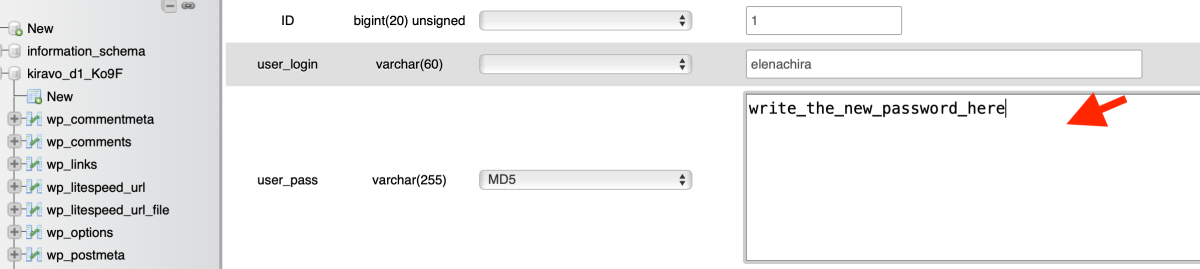
Access phpMyAdmin from the Kiravo control panel and open the wp_users table. Identify your admin user and click Edit. Next to the user_pass field, select the MD5 function, enter your new password in the text column, and click Go. You can now log in to WordPress with your new password.
In-depth tutorial
Losing access to your WordPress dashboard is inconvenient, but solvable. If the email recovery function is unavailable, changing the password directly in the database is the reliable solution. You can do this quickly through phpMyAdmin.
Modifying the database requires care. Follow these steps to regain access to your site safely.
Access phpMyAdmin from the Kiravo Control Panel
Access phpMyAdmin from your hosting control panel.
Our tutorial for accessing phpMyAdmin provides all necessary steps.
Identify the Users Table
On the left side, select the database corresponding to your WordPress site.
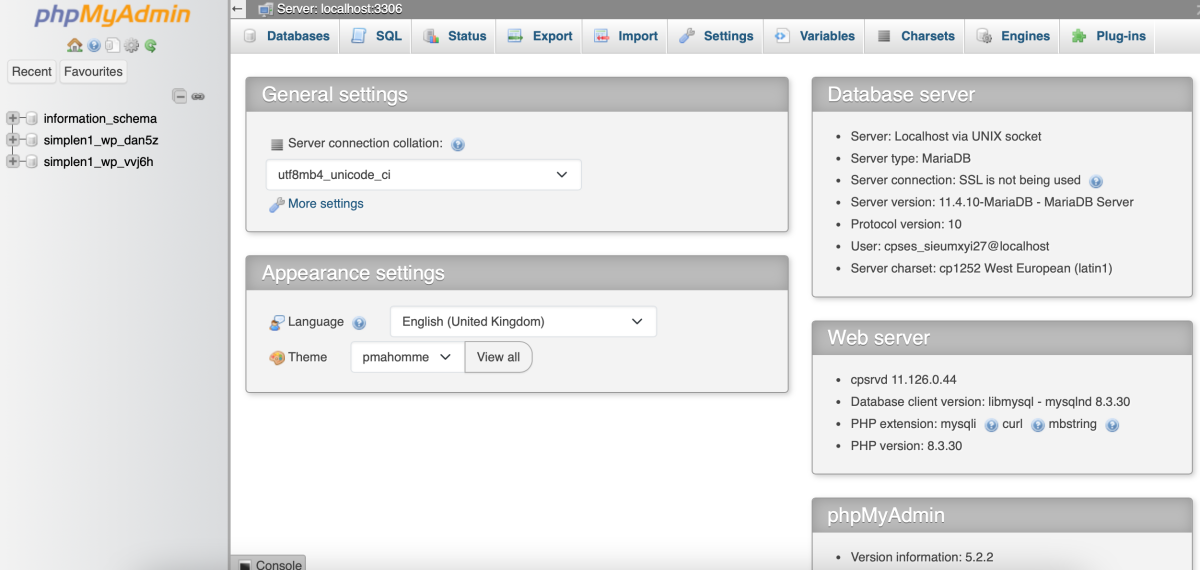
Look for the table named wp_users. If you changed the table prefix during installation, it might have a different name, such as example_users. Click on the table name to see the list of all registered users on the website.
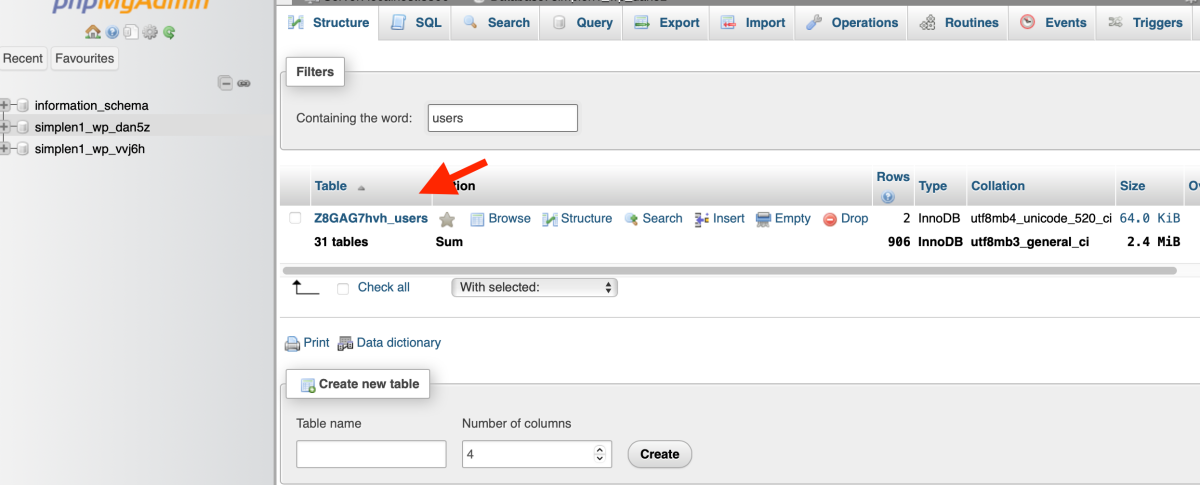
Edit the Administrator Profile
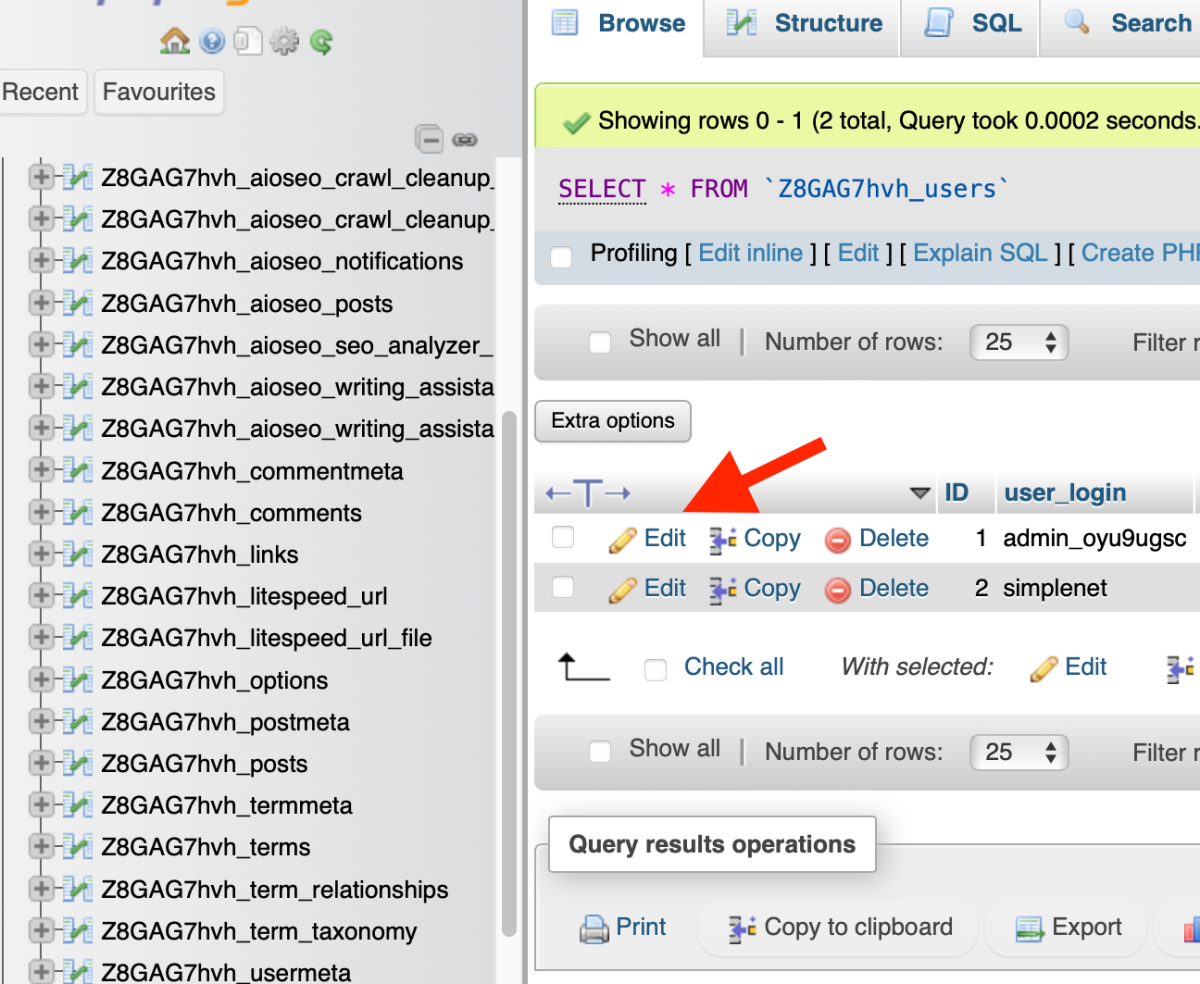
Find the row corresponding to your administrator account and click the Edit button.
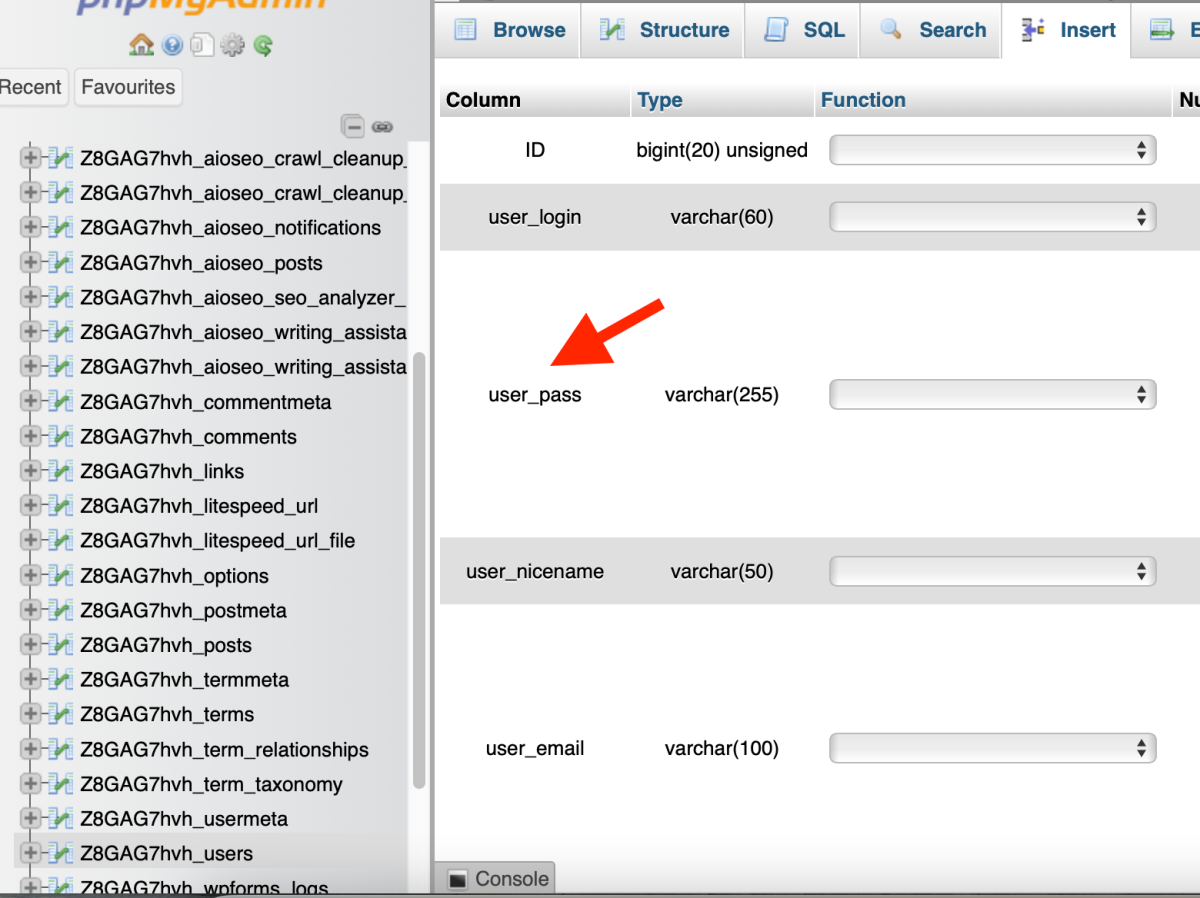
You will see a list of all information fields for your profile. Identify the row named user_pass.
Configure the New Secure Password
In the Function column, choose the MD5 option from the dropdown menu. This function is essential because it encrypts the password so WordPress can recognize it. In the Value column, delete the existing text and type your new password.
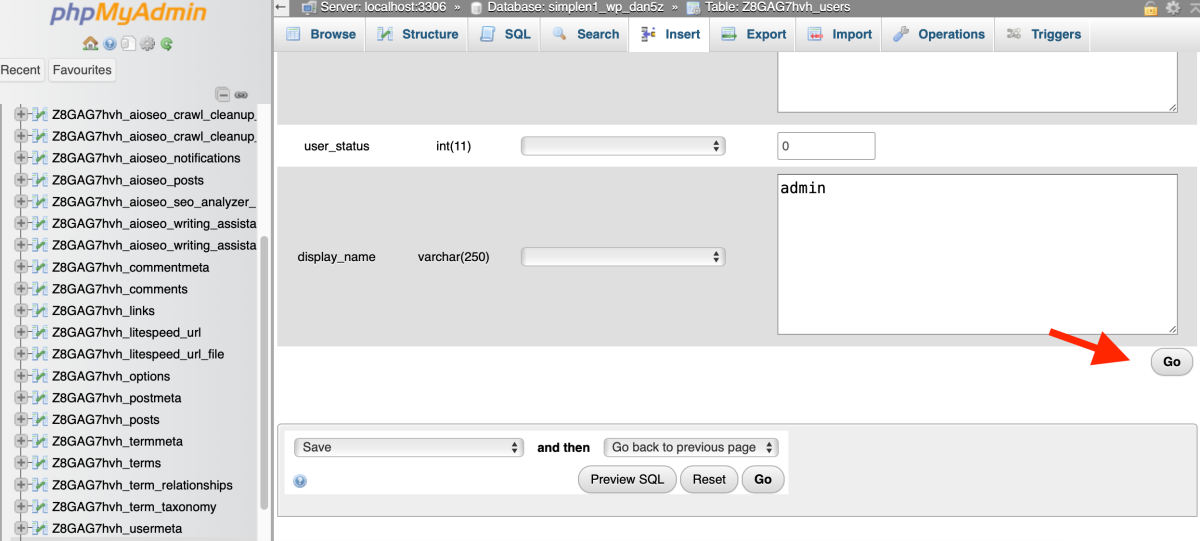
Scroll to the bottom of the page and click the Go button.
Verify Site Access
Return to your WordPress login page. Enter your username and the newly set password. Your access is now restored. We recommend using a complex password to maintain account security.
If you need assistance, please contact the Kiravo support team.

Leave a Reply