
Log into the Kiravo control panel and choose your website. Go to the Backups section, pick a date, and click Restore, then Custom. Select the desired file or folder and click Restore Now. Confirm the action to finalize the data recovery.
Data security is a priority at Kiravo. Our automated backups provide the peace of mind you need to experiment and develop your WordPress site. If technical errors or accidental deletions occur, you can recover your files quickly, directly from the administration interface.
Restoring files and folders tutorial (video + text)
The restoration process is flexible. You can choose to recover the entire site or just one specific element. Follow the steps below to understand how this system works.
Every stage of the restoration is designed to be simple and intuitive. If you prefer written instructions, follow this detailed guide.
Access the Backups section
Log into your Kiravo control panel. Click on your website from the main list. From the top menu, navigate to the Backups section. Here you will see all available restore points, organized by date.
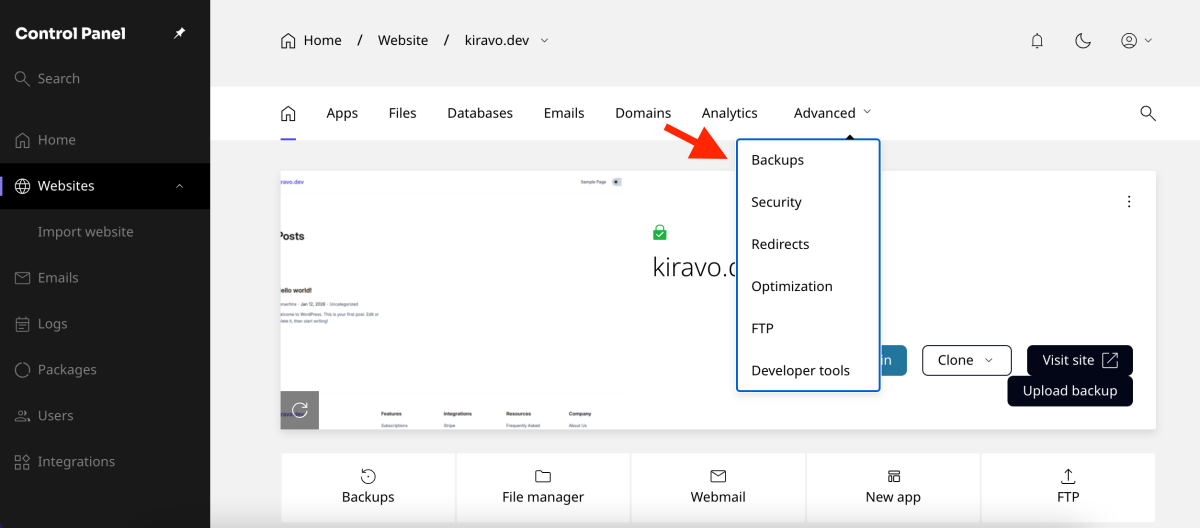
Select data for restoration (custom)
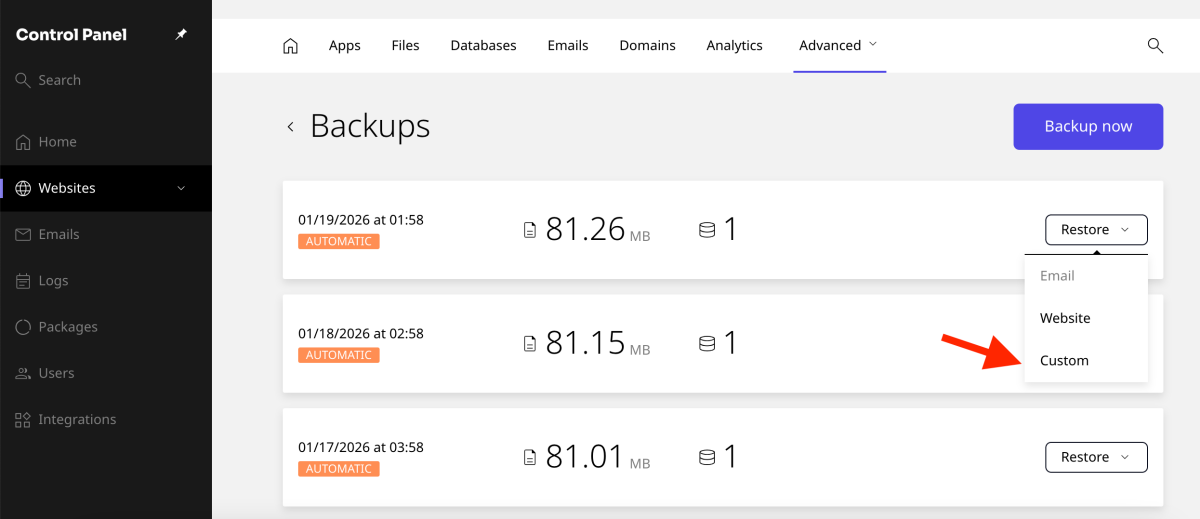
Identify the desired date and click the Restore button next to it. Choose the Custom option to have full control over the selected files.
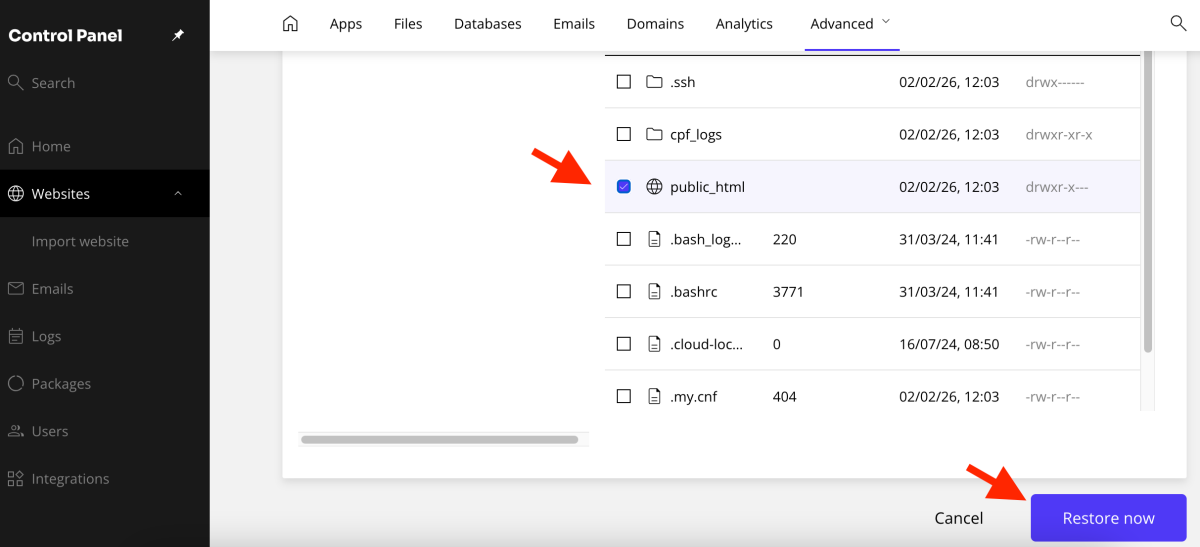
If your intention is to restore all website files, check the public_html folder. Click Restore Now to initiate the general process.
Restore a single file or specific folder
The system allows for granular selection. If you only need a single file, check that file and click Restore Now. The same logic applies to folders. For example, to recover the folder of a specific plugin, navigate through the structure to wp-content/plugins. Check the desired plugin folder and click Restore Now.
Finalise the recovery process
In the confirmation window, click the Restore button once more.
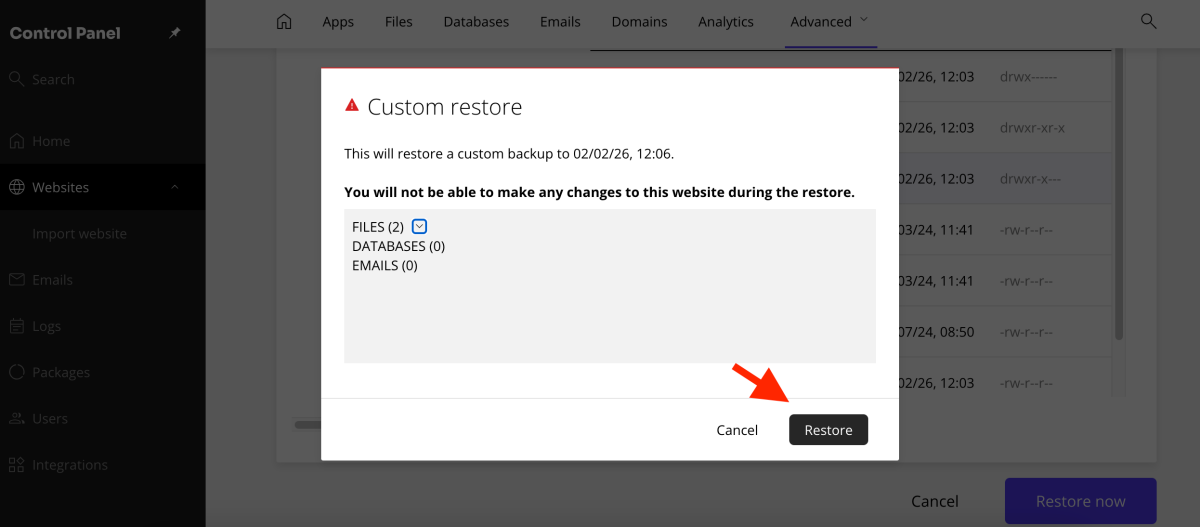
The restoration process begins immediately. The duration depends on the size of the selected folder or file. Once finished, your site will return to its state from the chosen date. This simple process ensures the continuity of your online project.
Should you have any questions or require assistance, our support team is available to guide you.

Leave a Reply