Learn how you can change the payment period (e.g., from monthly to yearly) for your hosting services by following the simple instructions below.
At Kiravo, you can change the billing cycle of your hosting plan directly from your client account whenever you want.
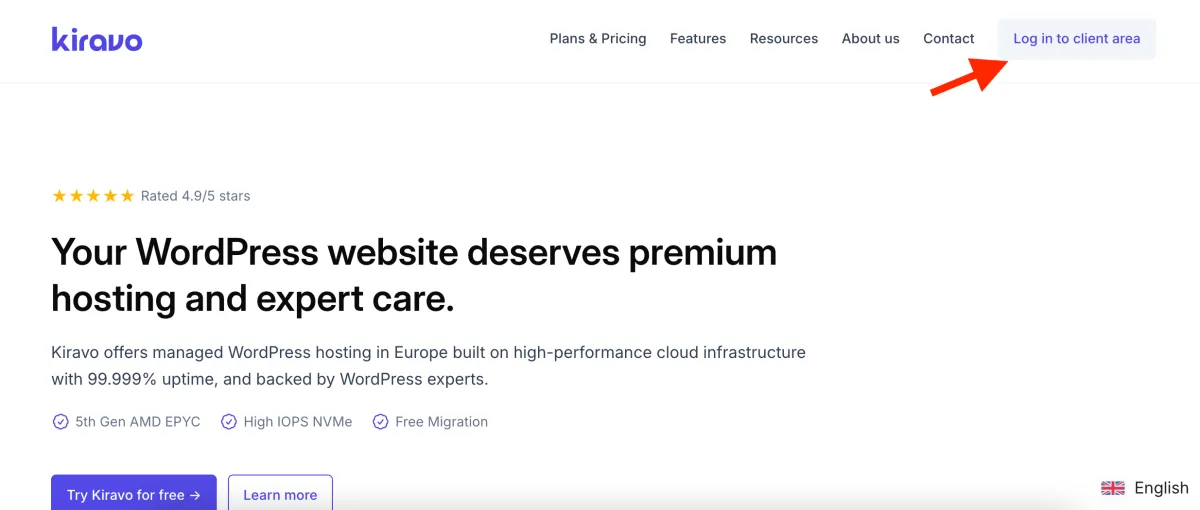
1. Log in to your client account
Section titled “1. Log in to your client account”The first step is to log in to your account. Access the client area on the Kiravo website and enter your login details (email address and password).
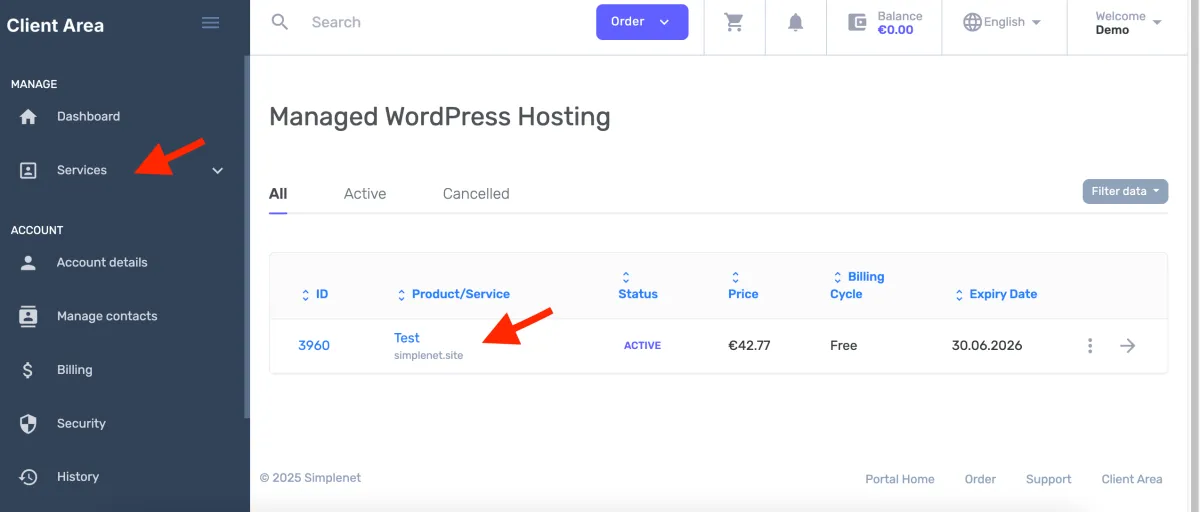
2. Select the desired service
Section titled “2. Select the desired service”From your account’s main dashboard, navigate to the Services section. Here you will find a list of all your active services. Click on the service for which you want to change the billing cycle.
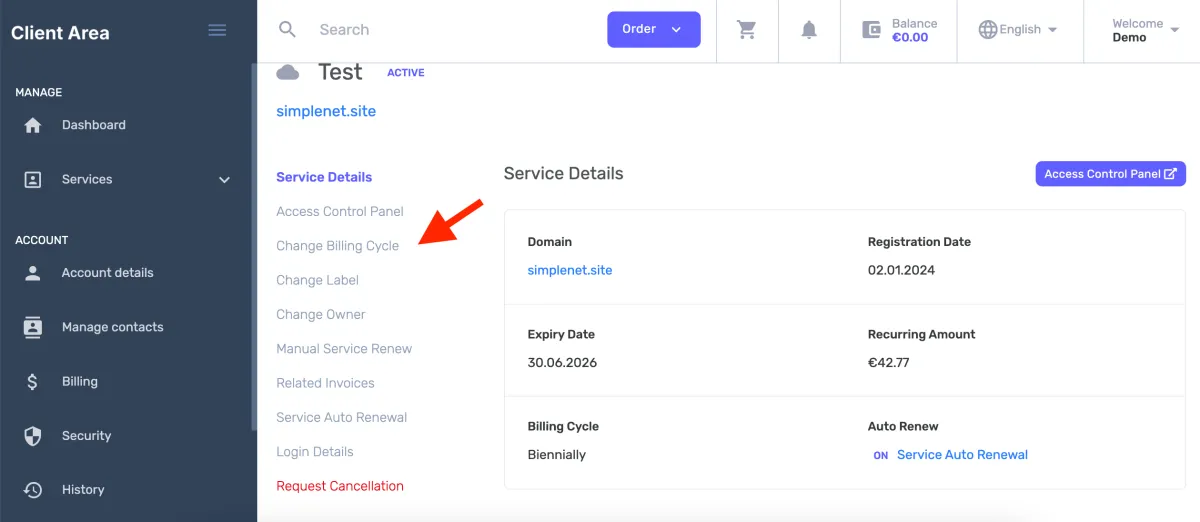
3. Access the billing cycle change option
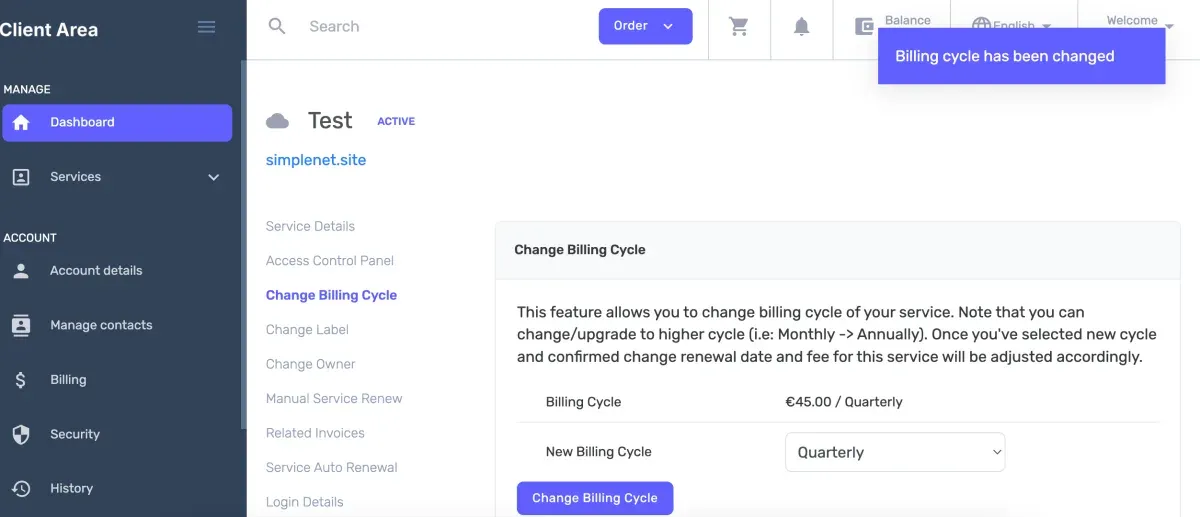
Section titled “3. Access the billing cycle change option”Once on the service management page, look for the Change Billing Cycle option in the left-hand menu and click on it.
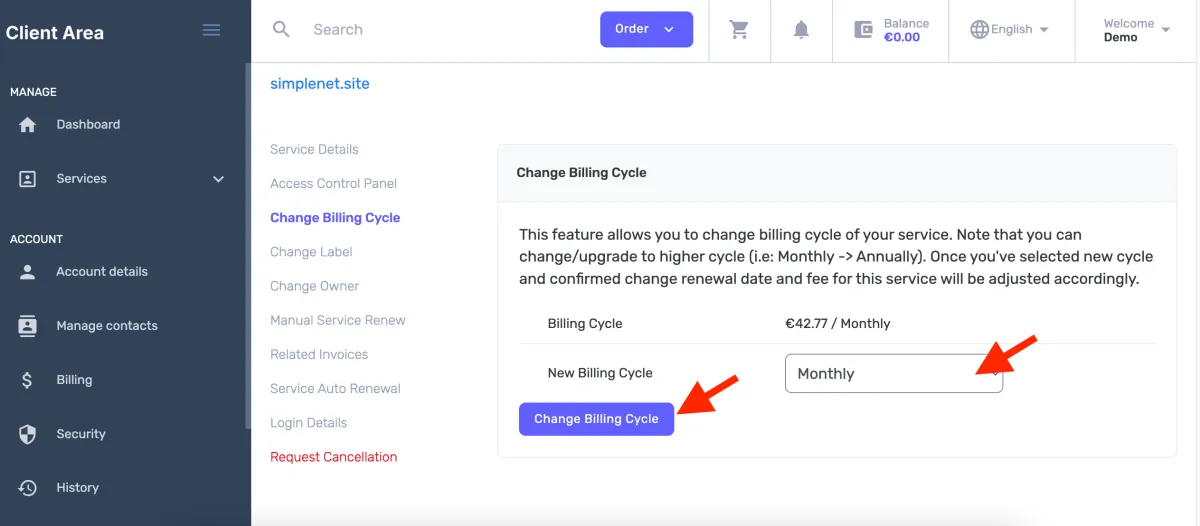
4. Choose the new billing cycle
Section titled “4. Choose the new billing cycle”You will be redirected to a page where you can choose the new payment period. Select the desired billing cycle from the available options (e.g., monthly, quarterly, annually, etc.).
After making your selection, press the Change Billing Cycle button to continue.
5. Confirm the change
Section titled “5. Confirm the change”The system will ask for a final confirmation. Press the button again to complete the process.
Done!
Starting with the next due date, your service will be billed according to the new payment cycle you have chosen. This is an excellent way to better plan your budget and take advantage of discounts for advance payments.
If you need assistance, do not hesitate to contact us.