How to view your service login details
The Login Details page contains credentials supplied with a hosting service. These are separate from the email address and password you use to sign in to your Kiravo account.
- Sign in to the Kiravo client area.
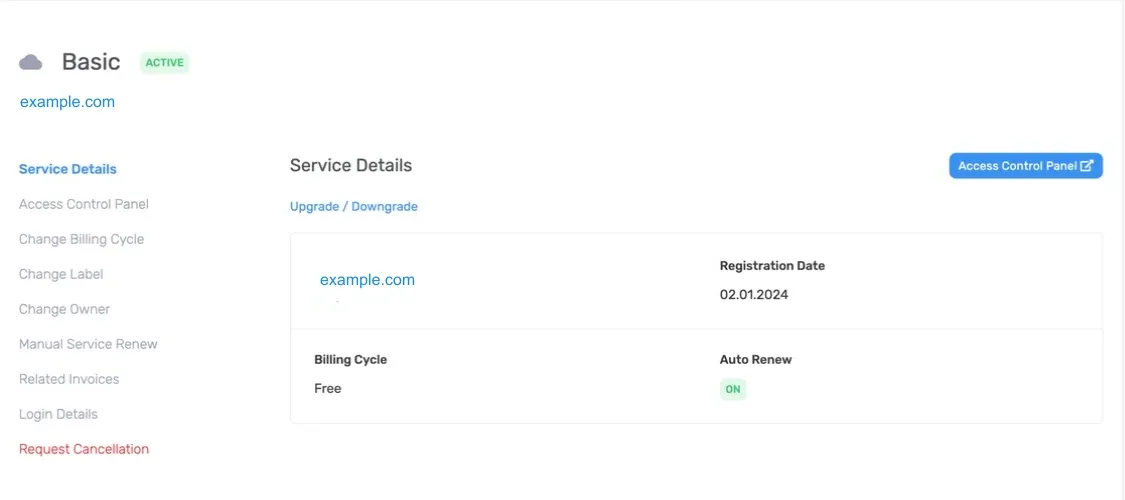
- Open Services and choose the relevant category. If the list contains one service, click that service. If it contains several, click the service whose login details you need.
- The Service Details page opens for the selected service.
- Click Login Details in the menu on the left side of the page.
Depending on the product, the page can show:
- Username, the account name assigned to the service.
- Password, the password paired with that service username.
- Root password, when the product provides root-level server credentials.
Use the labels shown on your service as the source of truth. Some products do not provide every field.
Password fields may stay hidden until you use their reveal control. Use the copy control when one is available. Avoid selecting and copying extra text from the page.
Choose the correct sign-in method
Section titled “Choose the correct sign-in method”For normal browser access, use Access Control Panel. It opens the hosting control panel through single sign-on and does not require you to copy a service password.
Use a displayed credential only when the application you are connecting to asks for that exact username or password. Do not use your Kiravo account password in a server, SSH client, FTP client, database tool, or hosting control-panel sign-in form.
For SSH access to a website, follow Connect over SSH. That guide explains the host, port, website user, and SSH keys managed in the hosting control panel. Do not assume that the service username is the same as a website’s SSH user.
If the details are missing or do not work
Section titled “If the details are missing or do not work”First confirm that you opened the correct service and that its status is Active. Try Access Control Panel again if you only need browser access.
If the expected field is absent or an application rejects the displayed credentials, open a support ticket. Include the service ID, the application you are trying to access, and the error message. Never include the password itself.