How to renew a service early
Use manual renewal when you want Kiravo to issue the next renewal invoice before its usual date. This is separate from automatic renewal. If a renewal invoice already exists, open it under Related Invoices instead of creating another one.
-
Sign in to the Kiravo client area.
-
Open Services and choose the relevant category. If the list contains one service, click that service. If it contains several, click the service you want to renew.
-
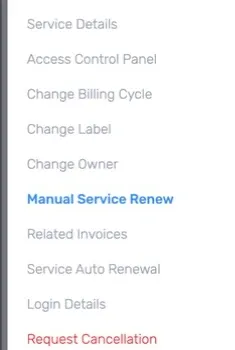
On the Service Details page, click Manual Service Renew in the menu on the left.
-
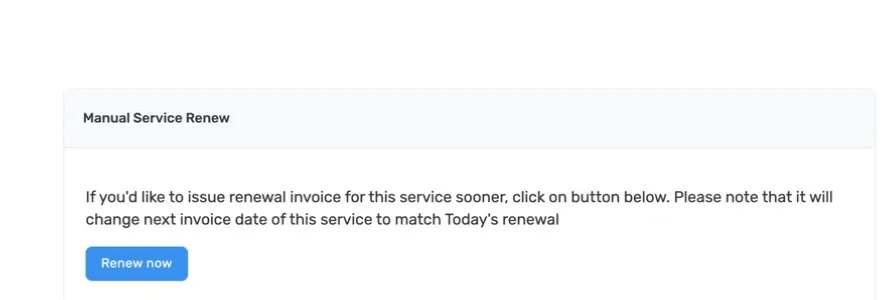
Read the notice on the Manual Service Renew page. It says the action issues a renewal invoice early and changes the service’s next invoice date to match today’s renewal.
-
Click Renew now only when you are ready to create the renewal invoice. Follow any confirmation shown by the client area. Creating the invoice does not mean that it has been paid.
-
Open Related Invoices for the service, or open Billing and then Invoices, to find the new invoice. Check its service, amount, currency, tax, due date, and status before paying it.
-
Complete payment using one of the methods offered on the invoice. After the payment status updates, return to Service Details and verify the service status. Check the next invoice date wherever the client area displays it. Ask support to confirm it if the date is not visible.
Do not press Renew now a second time if the first result is unclear. Check Related Invoices first. If no invoice appears or the dates and amount are not what you expected, open a support ticket. Include the service ID and invoice number when available, but do not include passwords or payment-card details.